
In a world where everything — literally everything — requires an account and a password, keeping digital life safe and organized is a challenge that goes beyond human memory. The problem? We're still insisting on weak, repeated, and, worst of all, forgotten passwords.
But there is a simple, effective and accessible solution: the password manager.
In this article, you will understand why this type of tool has ceased to be optional and has become essential — and how it can transform your online, personal, and professional routine.
Contents
Toggle- The Age of Password Chaos
- 5 Reasons You Need a Password Manager Now
- Reality: Everyone Needs Help with Passwords
- Passwords: The Brazilian Manager with Simplicity and Security
- Plans for Each User Style
- What the Founder Says
- 3 Alerts You Can't Ignore
- The Future of Password Management: AI, Extensions and Notification Center
- Conclusion: Your Security Starts With a Good Password — and A Good Tool
- Go to it right now:
The Age of Password Chaos
You have password for the bank, Instagram, Netflix, Gmail, streaming subscription, e-commerce, credit card app, health insurance and even for the favorite delivery. How many of these passwords do you really remember?
Now imagine:
- Use a weak password as “gabriel123”;
- Repeat the same password on all services;
- Store your passwords in a notebook or file in Word.
Yeah, that still happens. And that's why Data blows and leaks multiply daily.
According to the report Data Breach Investigations Report Verizon, over 80% of cyber attacks involve compromised passwords.
5 Reasons You Need a Password Manager Now
1. Encrypted security
Managers like the Passwords Save store your passwords with military-level encryptionMaking sure you're the only one who has access.
2. Strong One-Click Generated Passwords
You can generate passwords like 8y@k#B7!Lq automatically — and you never have to create them manually.
3. Smart Autofill
The manager recognizes the site and fills the data safely. No wrong password pasting or wasting time trying to remember.
4. Sharing Insurance with Team or Family
Share logins with whom you trust without ever revealing the password directly. All through invitation, with controlled authorization.
5. Access from Any Device
Whether on your phone, tablet or desktop, the Password Guard is synced. And with the browser extension, the experience is even more practical.
Reality: Everyone Needs Help with Passwords
A curious fact:
It is estimated that an average user has between 80 and 120 active accounts On the Internet.
Do you really need to memorize all this? No, no, no. Just remember a single master passwordAnd the manager takes care of the rest.
Passwords: The Brazilian Manager with Simplicity and Security
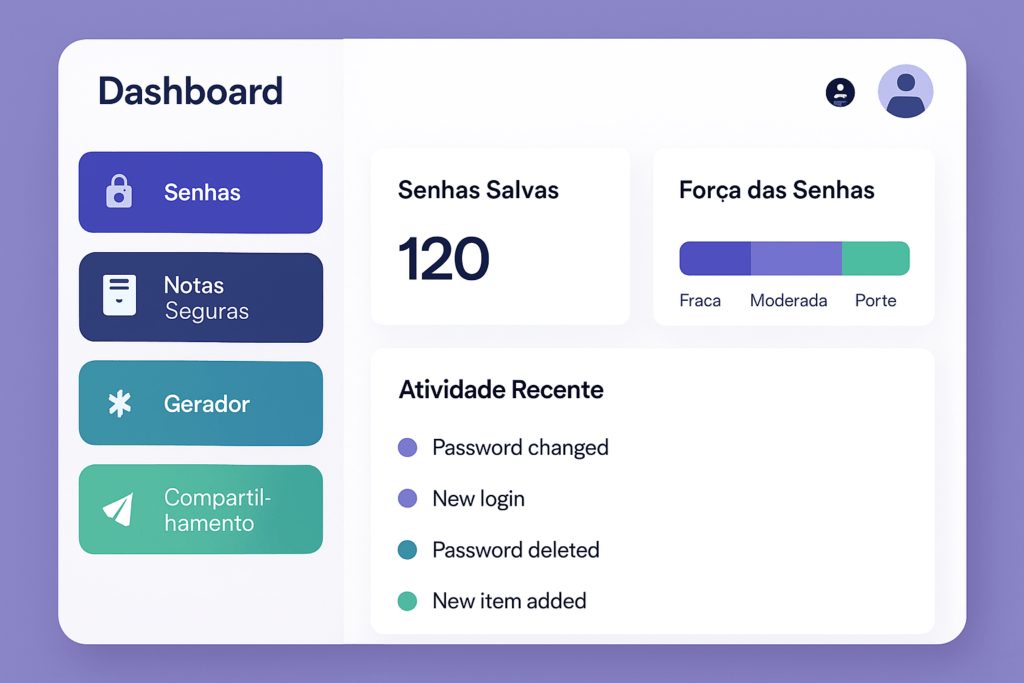
Created to join cutting edge technology with accessible usability, the Passwords Save it is a complete platform that organizes, protects and facilitates your relationship with logins, passwords and important notes.
Main resources:
- Intuitive interface, inspired by Google Keep
- Fast password creation and editing
- Secure notes
- Custom categories by color
- Importing browser passwords, CSV files or other apps
- Extensions for Chrome, Safari and Firefox
- Google access, biometrics and 2FA
And the best: works in browser, on mobile (iOS/Android) and desktop.
Plans for Each User Style
Ideal for those who are starting
→ Up to 50 passwords or notes
→ Secure access via social login or master password
Thought for shared use
→ Up to 6 members
→ Password and note sharing
→ Organization by categories and tags
For teams, agencies or digital businesses
→ Unlimited passwords and notes
→ Customer and tag categorization
→ Multiple user management
→ Administrative panel
What the Founder Says
“ We created the Passwords Guard to simplify what has always been confusing: keep information safe and in reach. Our proposal is to bring an efficient, safe and visually pleasing tool to everyone.”
— Gustavo Trentini, CEO of the Guard Passwords
3 Alerts You Can't Ignore
- Your password could already be leaked. Many websites compromise data without the user noticing. The Password Guard alerts when this happens.
- Your browser may be insecure. Storing passwords in the browser is useful, but vulnerable. Hackers can easily extract these passwords.
- Repeated passwords are the biggest risk. A leak in a service means automatic access to all others where you used the same password.
The Future of Password Management: AI, Extensions and Notification Center
Password Guard is constantly evolving with emerging technologies:
- Smart Notification Center
- Password Generator with Leak Analysis
- Extensions with real-time synchronization
- Safety Insight Panels
- AI integration for organization tips
Conclusion: Your Security Starts With a Good Password — and A Good Tool
Manage passwords safely It's not luxury, it's need. And you don't have to be a tech expert to protect yourself.
Use a tool that does this for you, in a safe, practical and with continuous support. O Passwords Save is free to start and still offers affordable plans for those who need more.
Go to it right now:
www.guardasenhas.com.br
Create your free account
Download the app or install the extension
Strategic keywords included:
- password manager
- password application
- digital security
- securely store passwords
- safe sharing
- Free password plan
- strong password
- browser extension
- Gustavo Trentini
- secure login
- encrypted passwords













