
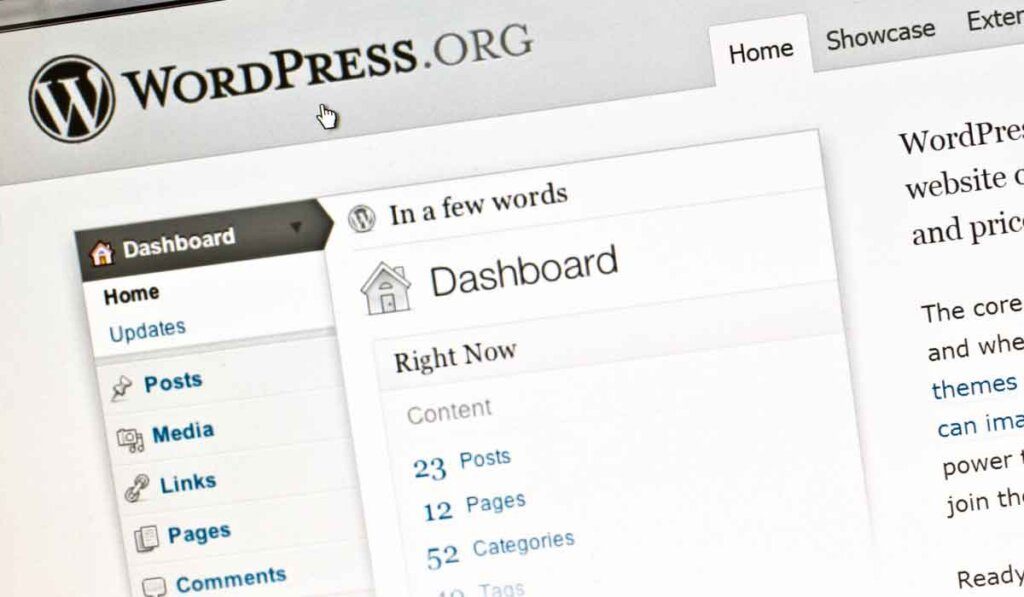
In the vast digital panorama that involves the contemporary business world, a platform continues to stand out as a preferred choice for building sites: WordPress. WordPress development offers an extensive toolkit that guides developers with powerful features, allowing them to design, visualize and develop their websites effectively and with results.
In this article, I want to show you the advantages of WordPress for websites, in addition to bringing seven essential and updated tips to create a WordPress project that kills and makes your competition get jealous!
Contents
Toggle- Why use WordPress as a platform?
- 7 tips for an effective WordPress site:
- Why choose WordPress development services?
Why use WordPress as a platform?
The platform is widely acclaimed for its numerous advantages for companies seeking to establish a solid and effective online presence. First, by offering an intuitive and easy-to-use interface, allowing even people without significant technical knowledge to create and manage a website easily.
This provides companies with greater autonomy in managing their online content, reducing dependence on external developers and associated costs. In addition, the flexibility of WordPress is incomparable. With thousands of themes and plugins available, companies are free to fully customize the design and functionality of their websites according to specific needs and objectives.
Whether it is to create an institutional website, a virtual store or a corporate blog, WordPress offers adaptable solutions for all types of business.
Flexibility and scalability
One of the most valuable features in WordPress is its flexibility, whether you are the administrator of a blog or a complete e-commerce platform, the platform can be scaled to meet your business needs.
A community engaged
With its huge community of developers and designers around the world, there is never lack of resources or support. Forums, online tutorials and a multitude of plugins make WordPress an open book, waiting to be read and perfected.
7 tips for an effective WordPress site:
Choose a Professional and Responsive Theme
You already know and we've talked about this a lot here on the Blog, that the first impression is what it gets, right? And when it comes to a WordPress site, that's more true than ever. The theme you choose is like the gateway to your company's digital world. It's the first thing visitors see and the basis for their online experience.
Imagine this as choosing the perfect outfit for a job interview. You want something that represents your identity and values, but also that makes a good instant impression. This is where the choice of professional and responsive theme comes in.
It is important to highlight that the theme of your website should not be just a matter of aesthetics, but also and especially about functionality. A clean and modern design not only attracts visitors' looks, but also keeps them engaged and browsing through their website with ease.
And we must not forget the importance of responsiveness, after all, we live in a world where smartphones dominate the scene. Ensuring your website is adaptive to mobile devices is essential to providing a consistent and satisfying user experience.
Prioritise quality content that is relevant
In the current scenario, where the information is within one click, the content becomes the true king. Imagine your WordPress site as a virtual library, where every word, image and video can tell a story and offer valuable knowledge to visitors.
It seems like a repeat of a broken disk, but believe me: prioritizing quality content is like investing in gold for your website. And this is not just about filling pages with empty words, it is about creating an engaging experience that will leave visitors wanting more.
From informative blogs to captivating videos, each piece of content should be carefully elaborated to create value with your target audience.
You may be wondering: but what really defines a quality content? I can say that it's simply what makes your eyes glow and your brains think. It's information that solves a problem, inspires an action, or simply makes someone smile. By investing time and resources in creating this type of content, you not only attract visitors to your site, but also keep them engaged and ready to take action.
Add attractive visual, video and infographic features to make your content more engaging. High quality media can captivate your audience and transmit information effectively.
Optimize for Search Engines (SEO)
When it comes to putting your WordPress site on the digital map, the optimization for search engines (SEO) is like a top secret power that can lead your site to the top of the search results pages. It's the difference between being the highlight of a party and being a forgotten wall in the corner.
Search engines are like Internet detectives, searching billions of pages for the best answers to users' questions.
Start by choosing relevant keywords that represent the content of your website. Imagine these keywords as bright pherois that guide users to you.
The more precise and relevant your keywords are, the easier it will be for search engines to understand what the content is. Then create attractive titles and descriptions that will attract the attention of users and encourage them to click on your website. Think of it as the cover of a book: if it's not interesting enough, no one will want to open it.
Last but not least, optimize your site structure to ensure a perfect user experience. This means making your site quick and easy to use, with well-organized internal links and intuitive browsing.
Ensure the security of your WordPress site
Online security is like a protective shield that protects your company against the dark threats of the cyberworld. And if you're not prepared, you might end up being the victim of a devastating attack.
So how do you keep your WordPress site safe and protected from these threats?
– Well, the answer lies in a proactive and robust approach to online security.
First, keep your WordPress software and all plugins always up to date. Updates often include important security patches that correct known vulnerabilities, making your site less susceptible to attacks. It's like locking the front door of your house, and that's the first line of defense against unwanted intruders.
Also, do not underestimate the power of trusted security plugins. These specialized tools can add extra layers of protection to your site, detecting and blocking threats before they can cause significant damage.
Improve user experience
Here there is no secret, but a lot of technique and strategy: simplify the navigation of your site. This means having a clear and intuitive menu that allows users to easily find what they are looking for. Nobody likes to get lost in a maze of links, so keep things simple and direct.
Then organize all the content logically. This means grouping related information and creating a clear hierarchy of pages. This way users can easily browse through your site and find exactly what they are looking for, without having to dig deep into a sea of confusing information.
Create clear call-to-action to guide users throughout the conversion process. Whether to subscribe to a newsletter, make a purchase or contact us, make sure that the action buttons and links are visible and inviting. It's like signaling an emergency exit in case of doubt where users will know exactly where to go.
Site speed is important
Having a high-speed site is no longer a whim but a requirement, including Google penalizes sites that do not load properly, leaving them out of indexing pages. If the user cannot access the site in up to 3 seconds, he will not be able to visit it again.
That's why you can't compromise your precious elements and aesthetics to offer speed. That's where WordPress developers need to prioritize performance, user experience, speed and quality simultaneously.
Speed will attract higher ratings and provide a perfect user experience. However, this can harm the interface design and reduce the quality of your website. You should solve the speed bottlenecks with premium solutions.
Optimizing the database for performance
Think of optimization as the brain of your site, where all information is stored and recovered when necessary. From the content of the pages to the theme settings, the database is the guardian of everything that makes your site unique.
Optimizing the database is essential to ensure that your website works efficiently and quickly. This means regularly cleaning up unnecessary data, such as revisions of old posts and spam comments, to keep the site agile and responsive. It's like cleaning out the tool shed, the less unnecessary things you have, the easier it is to find what you need.
In short, database optimization is essential to ensure that your WordPress site works perfectly and dial your digital presence for results. It's like doing regular maintenance in your car – you may not see the results immediately, but you'll make sure everything works without problems in the long run.
Why choose WordPress development services?
Although WordPress is easy to use, taking advantage of all its potential requires technical knowledge. It is where WordPress development services can enter into action, aligned with the company's goals and needs.
Professionals specializing in developing and customizing WordPress sites provide these services, such as the National Vox Digital.
Click HERE to schedule a conversation and we will be delighted to help your company take off in the digital world using this platform, through a specialized agency with many years proven expertise in effectiveness for WordPress.













