
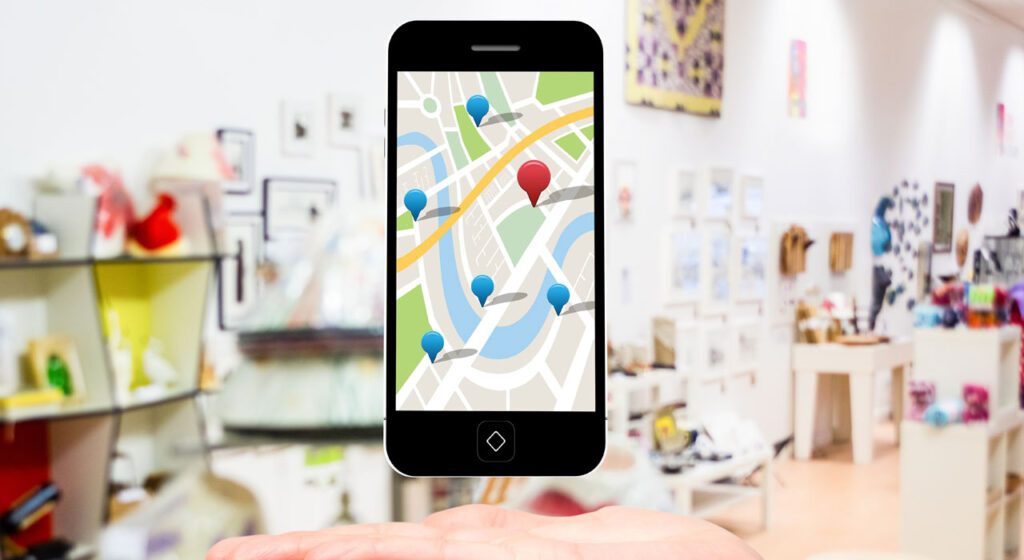
Google My Business is one of the most powerful ways potential customers can find their business online. You come across these profiles every day when you use Google, to find pretty much everything you need.
If you have a small or medium-sized company and have not yet set up this tool to promote or disseminate your business, know that you may be missing one of the main free ways to use Google to stand out on the internet and achieve sales.
Also read:
- Gastronomy and Culture: A Meeting That Transcends Tastes
- Nationalvox is honored by ALESC for its 20 years of innovation in digital marketing
- NVX 20 years: A history of innovation, partnership and success in digital
- Digital Transformation in Cuiabá Companies: Benefits and Challenges
- Social media trends for 2024: platforms that are shaping digital marketing
- The Power of Google Evaluations: How to Improve Your Business’s Reputation
- 7 content to convert to funnel fund with real estate marketing
Why do you need a Google My Business account?
Being discovered
The research is digital. Even if you own a physical store, your current and potential customers will be online. And that's where they usually start the search for your company, products or services.
One Google My Business account ensures that when someone searches for your company in Google Search and Google Maps, they find it. Once they do, your list shows the searches from where and how to visit your store, whether it has a web or physical address.
GMN also improves your local SEO. So when someone looks for you, you appear on page one, not page two or the last.
Even if you already have a presence on the internet, a Google business account ensures that you get better results. Accounts also provide access to analytics, allowing you to adjust your paid and organic advertising strategies.
Keep customers informed
Don't let customers guess about the important details of your company. Or leave them with apps and other evaluation sites you have no control over. Make sure that when someone searches your company, they find legitimate information, straight from the source.
Your Google My Business form includes contact information, business hours and other essential details. You can post updates to share that expanded the services, temporarily terminated or fully reopened (a particularly useful resource during emergency situations like COVID-19).
Google's business accounts have a strong Local SEOTherefore, the information you share will be ranked above other websites.
Disinformation can lead to bad customer experiences and missed opportunities. Imagine the disappointment a client feels when he goes into his business and finds out it's closed. Or maybe you're open, but a potential customer chose a competitor because he wasn't sure.
A Google My Business account allows you to keep customers informed.
Building consumer confidence
A Google My Business profile gives your company credibility. Do you need proof? Customers are 70% more likely to visit companies with a Google My Business profile.
Another study found that companies with complete Google listings are twice as likely to gain customer confidence.
Trust is a key factor when it comes to making purchase decisions. The more confident the consumer feels, the more likely he will be to buy.
The credibility gained from Google is enough to convince people to have 38% more chances to visit their store and 29% more chances to buy something.
Google My Business reviews also help build trust. A Search From Think With Google found that 88% of consumers rely on online evaluations as much as personal recommendations.
Click HERE and access a well-explanatory PDF from Sebrae and know how to set up your Google My Business account correctly.
Then, follow through by applying some tips and tricks that can help optimize your company profile:
1. Complete all information
Save time to create a business description that will take good care of your audience. Choose as many categories as are suitable for your business.
Select a service area or mileage area around your physical location from which people can discover it.
Update your business hours to reflect when you are open or closed.
Include your services, products, menus and other features that define your business.
Add when your company first opened the doors.
Enjoy the right URL for your website and the right phone number.
Spend time completing your list. Think about what you'd like to know about a company before you do business with it.
Use this information to improve your Google My Business list in a way that makes it useful, engaging and ultimately what people are looking for.
Analyze the recommended updates Google sends to your profile. Sometimes these are updates Google considers relevant. Sometimes they are updated based on what people are telling Google about their company.
Make sure you check them before they air. Otherwise, the main information about your company can be displayed inaccurately and cost business.
2. Add photos and videos
People respond to photos and videos more than texts online. The brains are being reconnected to get information as soon as possible. Visual features do this better than anything on the web.
Make sure to send a high quality logo from your company. Show photos and videos that highlight where your company, your office, shop and your employees are, and what you do in action.
Make sure these photos are also of high quality. Anyone can send photos to your Google My Business list. Make sure you send the best images and videos you can. Remember that anyone can also upload images related to your company.
3. Answer comments
Comments will make you stand out or break, whether they are in your Google My Business or elsewhere online. Make sure to respond to all the comments – good or bad – on your listing as they arrive. Do not use generic standardized responses.
Create a unique and sincere answer to everything that comes your way. This shows potential customers that you are human and appreciate people's experiences, no matter how they do.
This connection with people who do business with you will lead to more references and convert potential customers who want to work with someone who really cares about them.
So set up email notifications on Google My Business to be alerted whenever someone posts a comment. This allows you to respond immediately and eliminate any potential root problems.
4. Answer the questions
Did you know that potential customers can ask questions about your company or services through Google My Business listing?
Make sure to answer questions as they come up, for example, how you should respond to comments by activating email notifications for them.
Remember that anyone can answer questions in a profile. Your response as a company will be a powerful way to show people that you care and genuinely want to help them.
5. Enable messages
Depending on your company and industry, Google offers messages through your profile between you and those who are looking for something. By installing the app on your phone, you can interact in real time through Google My Business with potential customers.
This allows you to answer your questions, schedule appointments, and connect directly with your audience as soon as they find your listing.
Note: This feature is not yet available for all business or service areas. If you are available to your company and you think it would be useful, activate it and see what it does to connect with your target audience.
6. Post, post and post!
Google My Business allows you to post updates about your company, promotions you are offering and other content directly on your profile listing.
This provides a quick way to update potential stakeholders on everything from holiday schedules to new services and promotions you are performing. Offer visitors of your profile something different from the competition, taking advantage of the posts to get their attention.
Bonus tip: Visual features are very important for tool posts. Make sure to use images that draw you to the subject of your posting. Free apps like Canva can help you create stunning images in a blink of an eye if you don't have a slope for graphics.
Conclusion
Start using Google My Business to generate more sales as it actually works. Remember that customers are looking for you, so make it easier for them to find you and that they are willing to spend money on you.
Your Google My Business account allows you to manage interactions with interested parties and present important company updates to potential customers who are looking for their products or services.
In addition to being an important tool for a good digital presence, a great Google My Business profile will help your site and consequently your company, get orders, internet traffic and new customers.
If you like, comment below.
See you in the next article!













